








2) How to Use Machine
-
How to Control Game
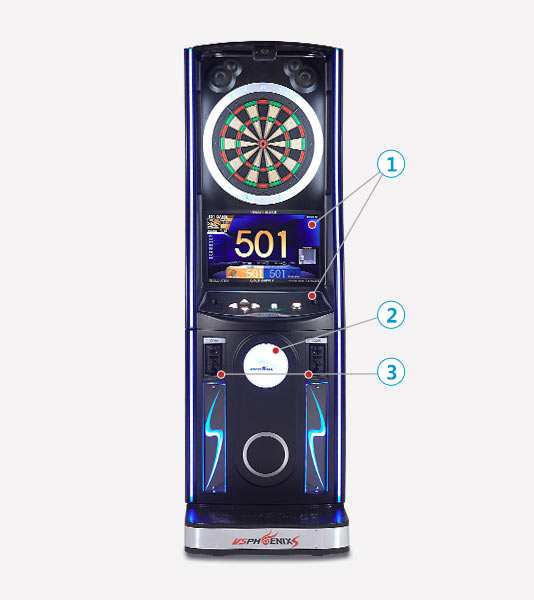
① Select a game using control button in the monitor.② Place Phoenix Club Card to card reader.③ Insert coin and start playing game.* You can start game even if you don't have a
Phoenix Club Card. -
How to Control Game Buttons
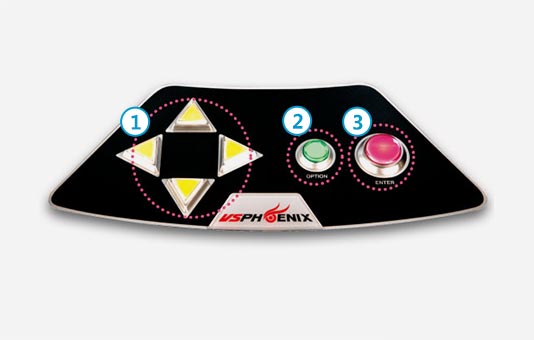 ① Cross-shaped button (to select directions)Phoenix Dart Consoles are controlled using the cross-shaped
rudder. Move between menus and change orders using up,
down, left, right buttons in the monitor. This is a familiar method
to those used to play arcade games.② Green button (cancel game/ select options)Green button is used to cancel a selected game.Press green button during a game to display the options screen.③ Red button (make decisions/ take turns with opponent)This button is used to make decisions for a selected game and
to take turns with your opponent after a throw.